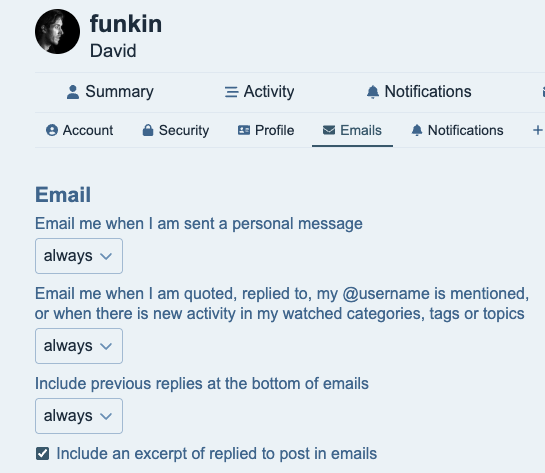
I’ve not received any notification emails since September of last year. I think I’ve got everything turned on. Is there anything else I need to do? For example I had a @ mention today and thought I should have had an email about it.
My email address hasn’t changed and is valid.
I’m sure it’s user error - I’ve just not seen what I need to do.
mailjet had hit max number of contacts in the list, so TT had sent to over 1000 people!
shame only about 20 post , so just deleted the contacts list so it can start again (its taken from file on the server anyway, Mailjet just stores every one it sends to as a contact)
You delete this bit from header.scss although it may well be in a file that generates it - it’s the sticky that’s bad, and the rest is irrelevant if it’s not sticky.
where did you find that @JibberJim ?
Ive inspected the code in my browser but cant find that file?
ETA found it and tried a few things in inspect but didn’t seem to change a lot, cant be too much too it, but its gone 11, Ive been on a computer since 7:45am and Im trying to learn some advanced probability
Inspect look at the elements, find the one which is sticky - by going back up the DOM from something in the header, the inspect tool then lists the file and you can click on it to see it in sources.
My user stylesheet just adds this, you can add this too to any css to make it go away.
so the site themes have custom CSS rules, I had a look and they are set as above, but seems someone has added an update which overwrites them in the main common.scss file so added !important and now its takes my theme CSS as the priority