I’m sure I’ve heard rumours of it elsewhere, I’ll stick to the watch as I’m a complete scruff and don’t dress up anyway 
2 Likes
Noticed yesterday they’ve replaced their top end HR strap that I’ve got with a completely new one. This one has a detachable receiver so the strap can be washed, mine was a bit smelly recently! The expensive version also is a rechargeable unit.
No doubt mine will pack up soon as it’s over 2 years old so will probably try one of these.
The HRM600, and a slightly cheaper 200
2 Likes
I’ve just bought the HRM-200 last week after my trusty Wahoo Tickr finally died. Seems pretty good so far.
200 doesn’t have extra features like running dynamic, indoor run, etc. memory, etc., if you want those, otherwise it’s the same device. Connection to my 965 seems much more stable than the Wahoo.
Only thing so far is that Zwift doesn’t like the secure Bluetooth connection mode, I believe if you switch to non-secure mode this sorts it, just haven’t been bothered to change it yet as I record indoor rides on my watch anyway.
1 Like
I’m using Halfords £20 jobbie, for the last month after years with the Dual - no issues so far
1 Like
Does anyone know of a reliable charging cable for the Forerunner 255? It’s the small oval type.
managed to leave mine in a hotel along with a decent USB wall plug so on the hunt for one that costs less than the £25 official one.
1 Like
I just got a couple of adapters for a standard USB-C cable. Seem to work better than dedicated cables.
5 Likes
Perfect, thank you! I don’t even know such a thing existed
Hiya
Garmin support have been responsive but not helpful yet. Bad data in my run this morning has added 16bpm to my LTHR
Any ideas how to correct it and any other issues a sudden maxHR of 211 might cause?
I’m guess it messes up everything to do with EPOC which I happen to be using right now.
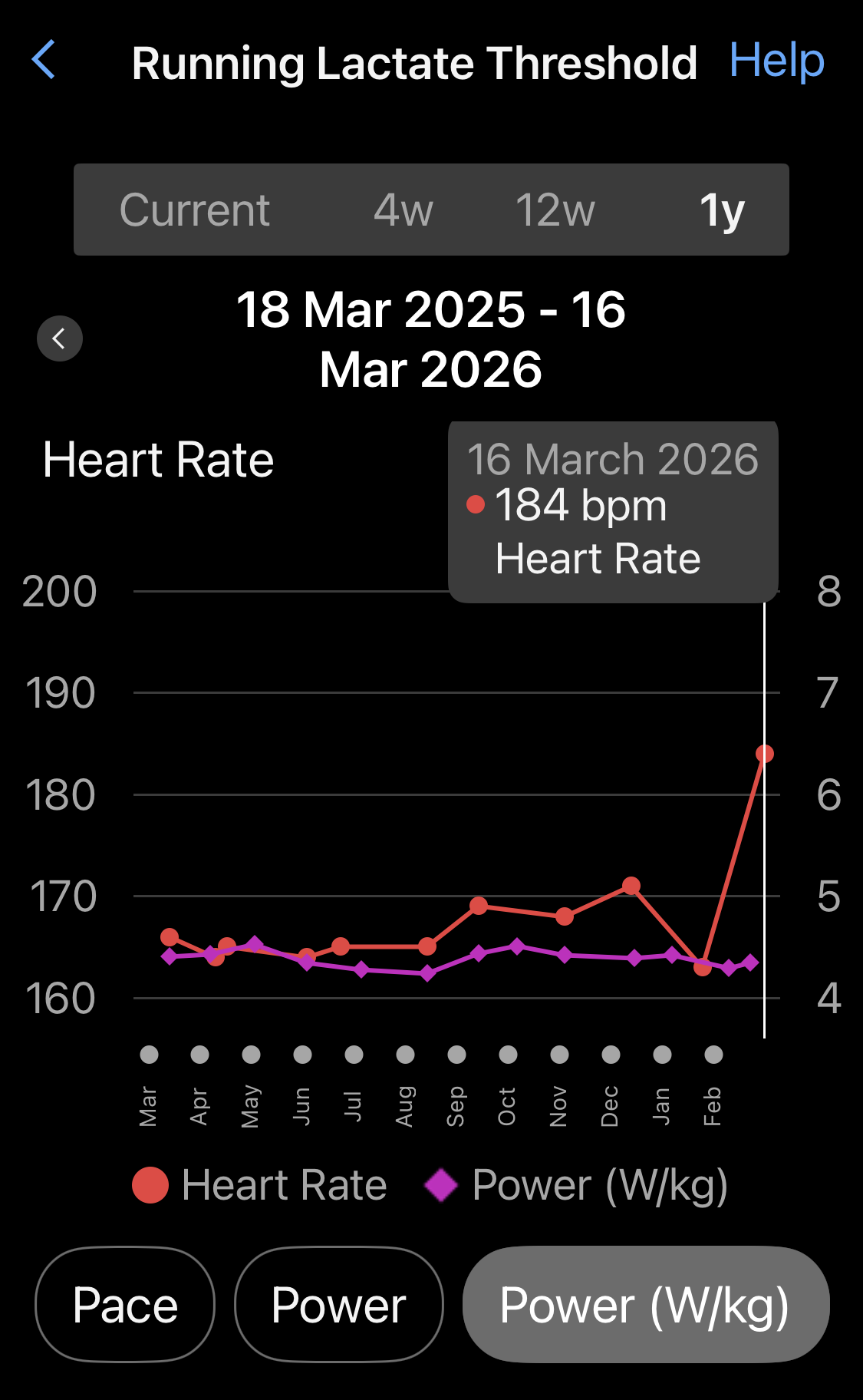
This is one of the things that pisses me off about Garmin, last time I Googled it there was no fix. Its seems Garmin know this is an issue but dont care enough.
I cant remember exactly but I think I had to delete the activitie(s) and use fittools to set a max value for the bad data and then manually upload.
The other option, possibly, in your case, is to crop the begining of the session as the bad data is at the begining.
As I say at work with programming files for wheelchairs and scooters, download and make a copy before pissing around with the file. 
Edit… easiest option is to trim the begining off and manual set LT back manually if you can, just deleting the bad data doesn’t force axrecalculation
1 Like
Had similar myself and on Strava when uploaded, and when my power meter went bonkers. In Strava even if you delete the activity it doesn’t remove it from your power records etc.
In Garmin it will affect your recovery metrics etc so need to ignore them for a couple of days.
It can’t be that difficult to fix.
2 Likes
Its Garmin, trust me it is hard to fix. Very worst case delete the active and Garmin will think you are a bit fresher than you are for a few days (trim/crop also a good option, but the physiological metrics dont auto recalculate, so will need to fix that as well.)
Edit: @jeffb I was hoping you had a secret fix then when I saw you had replied.
2 Likes
I’ll try trimming it - good idea.
Edit
Seemed like a good idea but hasn’t had any effect other than to reduce the time/distance ran.
Load, LTHR, recovery, etc all still the same

Garmin pointed me at the settings.
It’s in the device → user profile → heart rate & power zones → heart rate
General, my maxhr was up to 208, sport specific, running was up to 228 (!!)
I turned off auto detection, used the 193 value I found in cycling specific turned auto detection back on
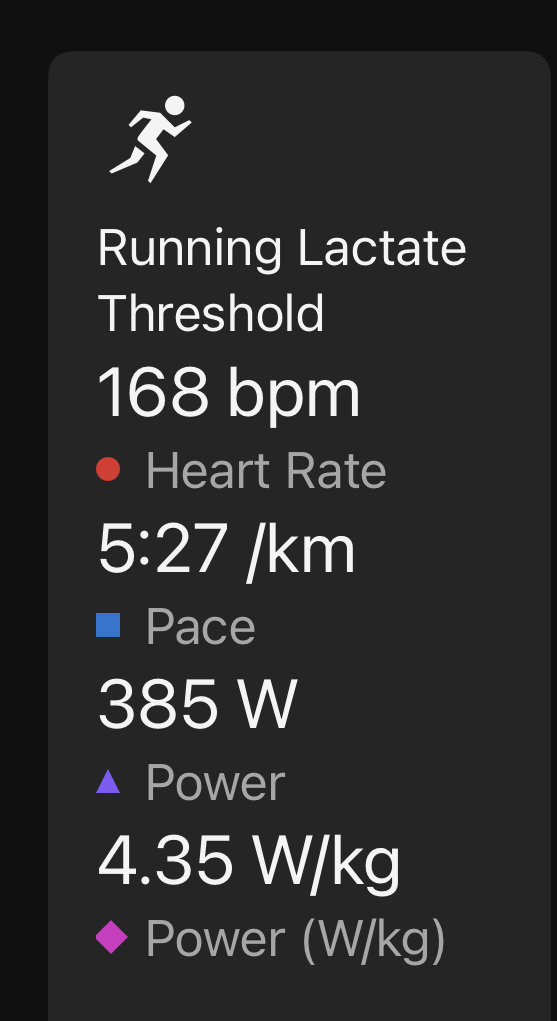
There doesn’t seem to be any record in reports of the maxHR setting, just averages over time seen in activities which is only like 170 something, too low to be maxHR.
I did say 
Maybe you don’t need to trim if you manually overwrite max HR etc (I think you do for some reason), although I’d delete bad data anyway. I also have a feeling that down the track it messes things up if you leave it.
I trust as recommended to saved a copy. So if so and if you can be arsed you could reload and play around with the options.
PS Garmin is shit with bad data, maybe because their devices never report bad data… 

1 Like
I’ve never really understood the model they’re applying. The original data persists on your device whatever you do. GC is like a Management Info layer to them, maybe.
1 Like
Hmm.
Checked hr settings again and running MaxHR is up again, to 212
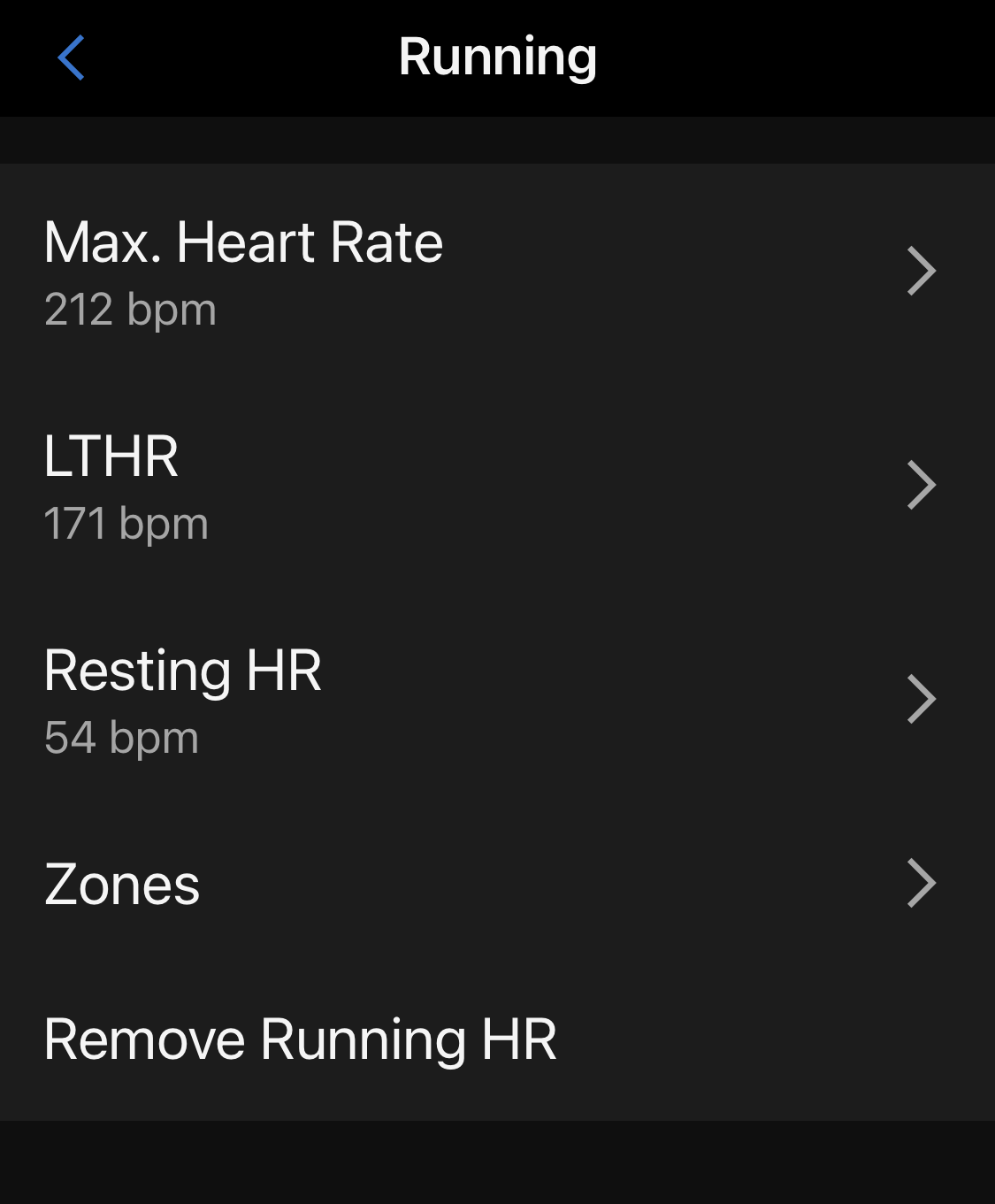
I did 15s sprints yesterday, HR didn’t get above 162.
Not sure what to do…I want to watch to guide me with epoc data on recovery, pretty sure erroneous maxHR will fuck that up
Turn auto maxHR detection off maybe?
1 Like
Well I’m not sure I have any idea what it is, which is why I want Garmin to tell me.
If I cant see any dodgy data then should I just let it go?
Ah no - the edited file is GC only, the watch still has the full nonsense. So probably still considering that in its calcs.
I’ll disable detection for a while, 193 might not be right but it’s not insane.
2 Likes
Anyone had a 735xt before?
Got a chap in my team who turning 50. Know hes currently on 735xt and the battery is starting to die - so thought replacement might make a nice gift.
Primarly runner, secondary cyclist (tho he has a 530 so no point trying to replace that).
Google AI suggets the 255.
Not sure what budget I’m working to at minute either 
Edit - does the 255 not have the amoled screen, but the 265 does?
2 Likes